Session Monitoring Platform
Cluey Learning
Lead Designer
2019
Designing an internal platform to help Customer Care monitor hundreds of live tutoring sessions every day.
Cluey Learning offers remote online tutoring in English, Chemistry, and Maths for students in grades 2–12. With over 20,000 sessions each month (at the time), the Customer Care Team (CCT) monitors every session to ensure sessions run smoothly. And quickly identify and address any high-risk sessions, and support students as needed.
Process
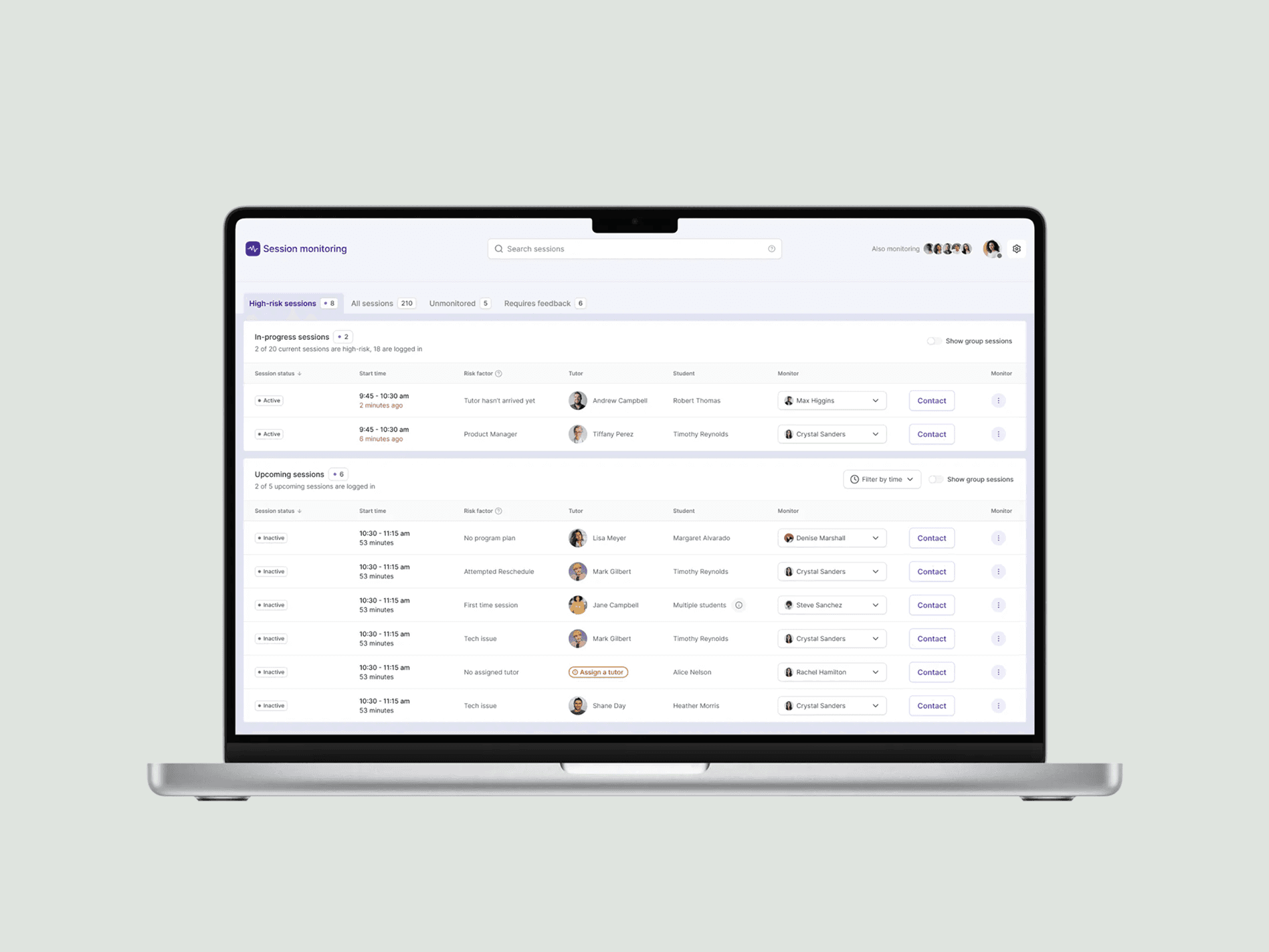
As lead designer, I partnered with engineering and the CCT to completely rethink the internal monitoring platform. The result: a purpose-built tool that dramatically reduced operational effort and provided the team with greater visibility and control.
Discovery & Definition
I began by introducing my discovery and design process. While stakeholders were familiar with the problems, few had experienced a structured approach. I facilitated sessions to surface, organize, and prioritize issues to address.
Working with Cait and Nam from the CCT, I audited the platform to identify strengths and weaknesses. The dashboard had outgrown its original purpose. Through walkthroughs and collaborative discussions, we captured pain points and future needs.
Key problems this project aimed to solve
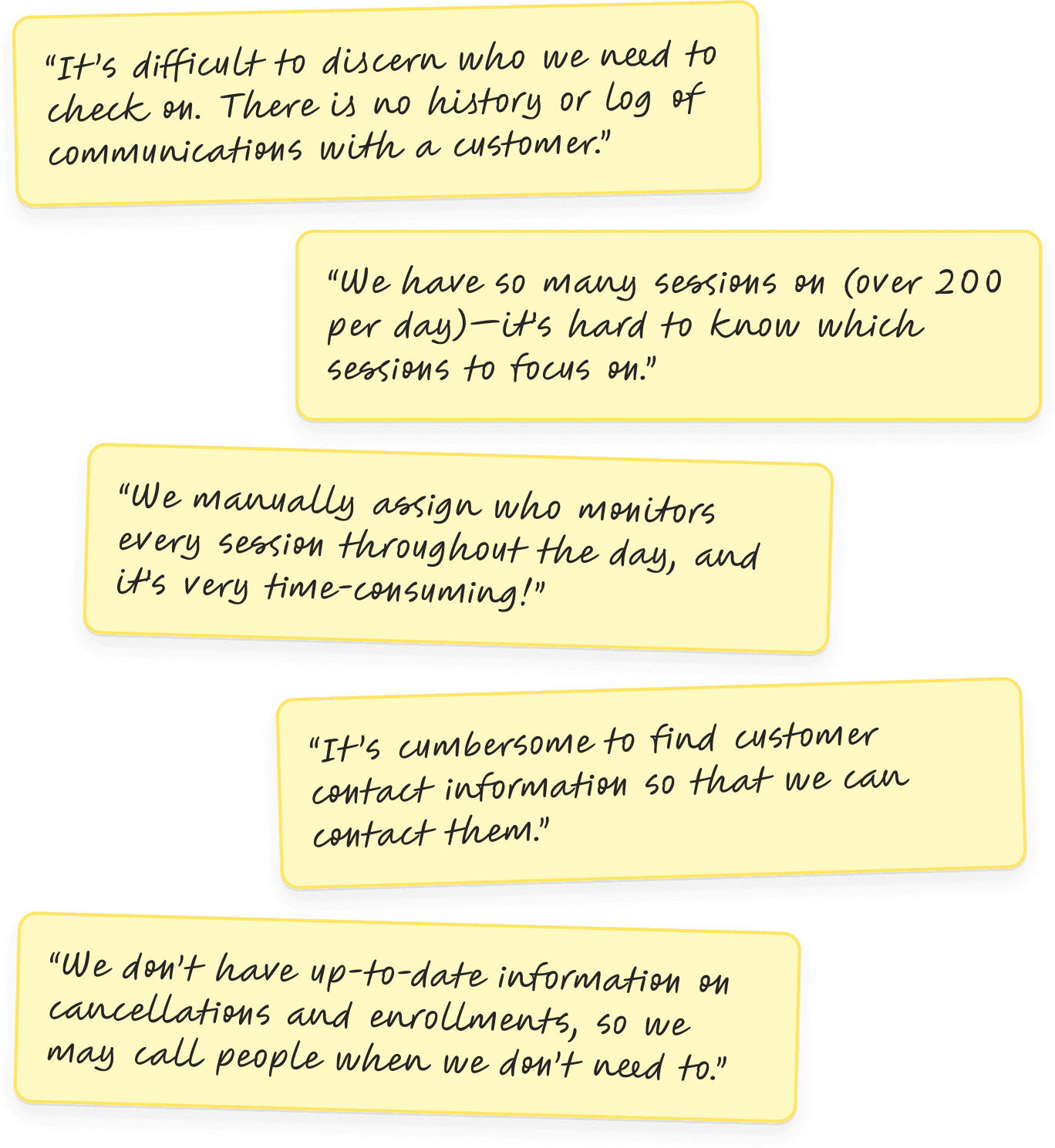
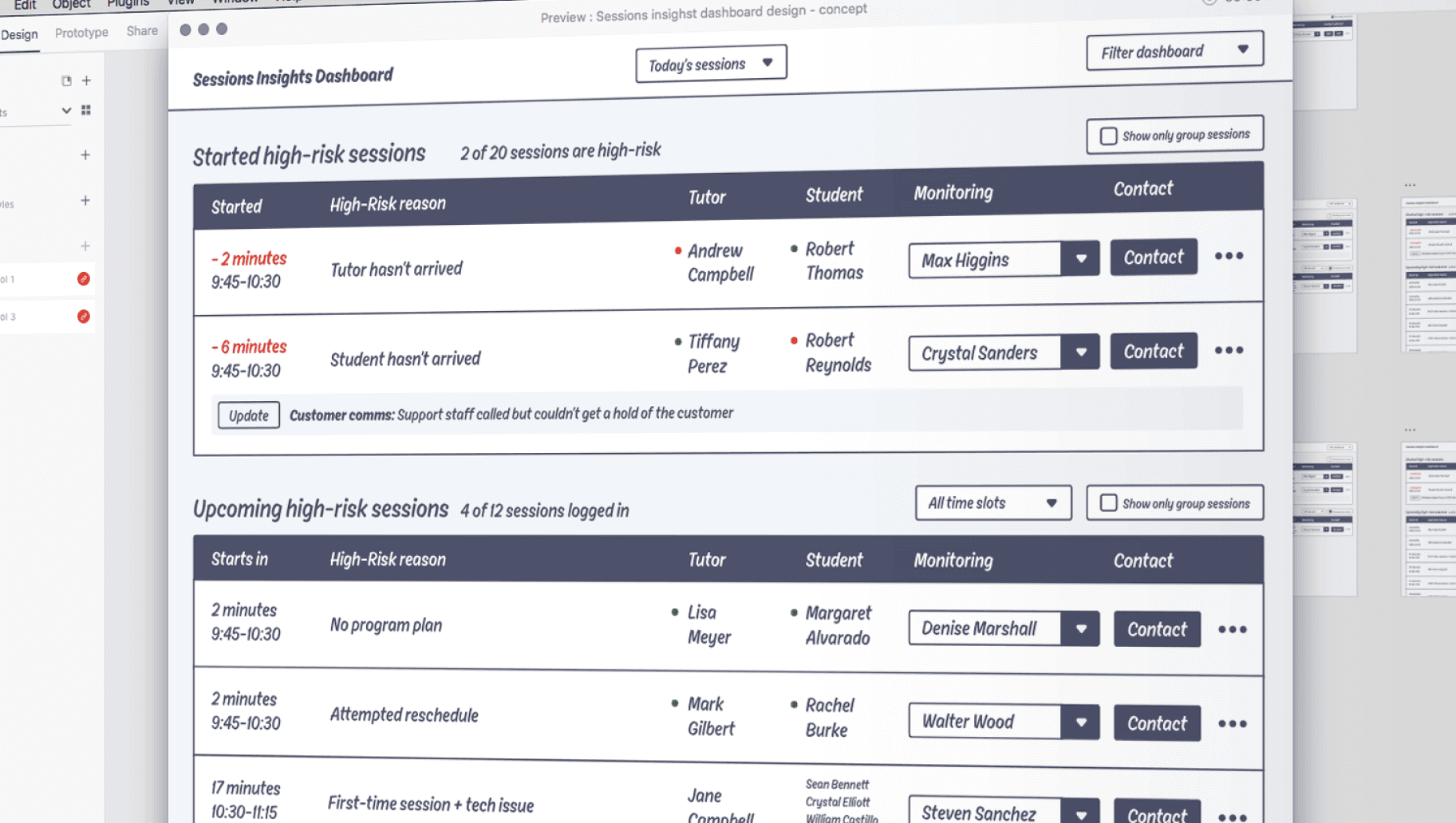
A central challenge emerged: how could we make “high-risk” sessions immediately visible and actionable, so the team could intervene proactively? High-risk sessions included those where a tutor or student hadn’t joined on time, a student’s first session, missing program plans, or group sessions with technical issues.
Ideation
Instead of designing in isolation, I invited a diverse group of CCT representatives to contribute one to three dashboard improvement ideas tied to specific pain points. This surfaced practical insights I wouldn’t have discovered alone.
Low-Fidelity Design
I rapidly developed low-fidelity wireframes to explore ideas and gather fast feedback. Over a week and a half, I iterated through three rounds of design, prototyping, and testing, focusing on structure and flow before refining details.
High-Fidelity Design & Delivery
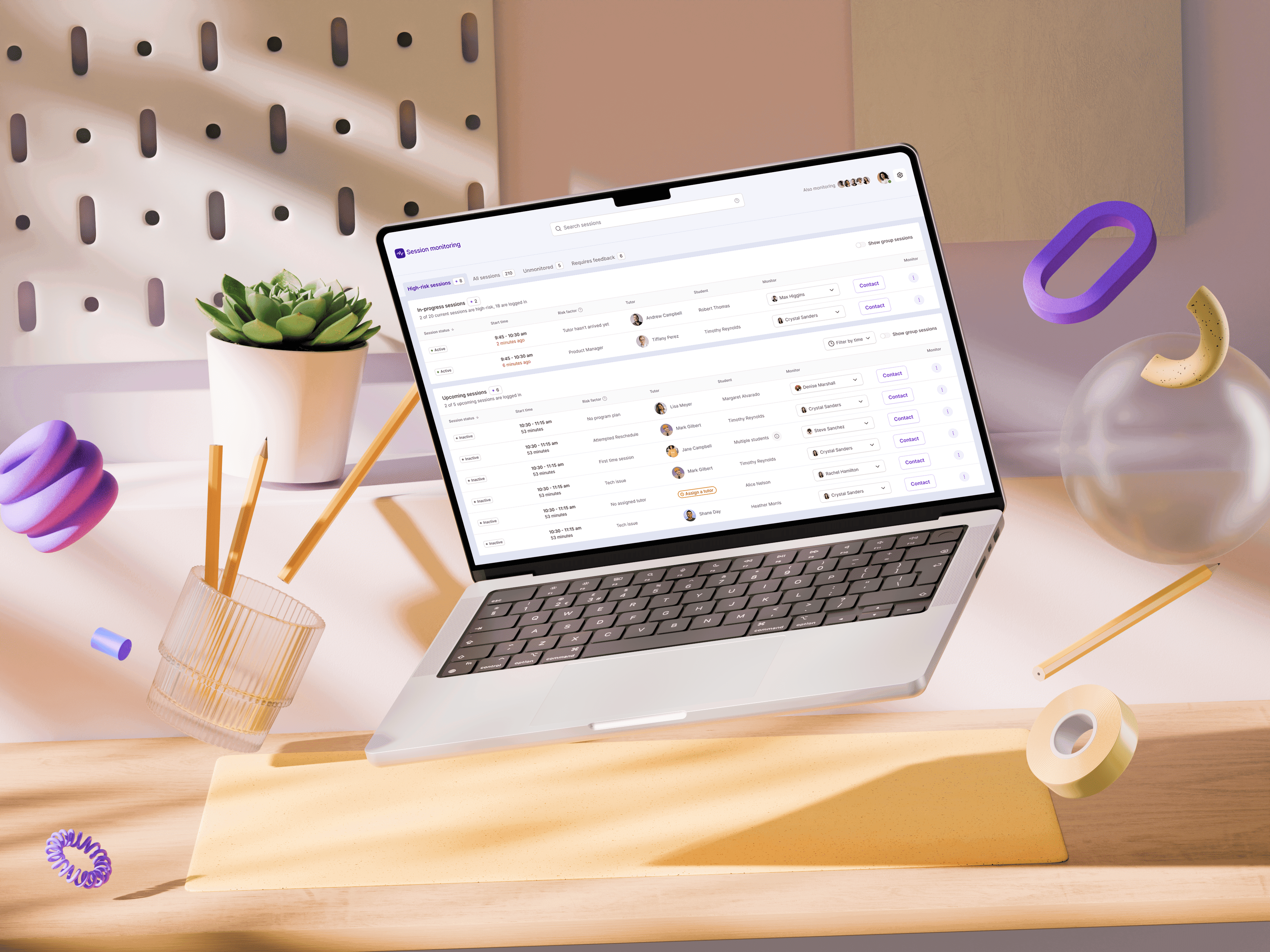
With a stable concept, I moved to high-fidelity design, adding real colors, typography, icons, and interactivity. After several weeks of iteration and close collaboration with our engineer, Timo, we refined every detail to deliver a polished, production-ready product.
Outcome
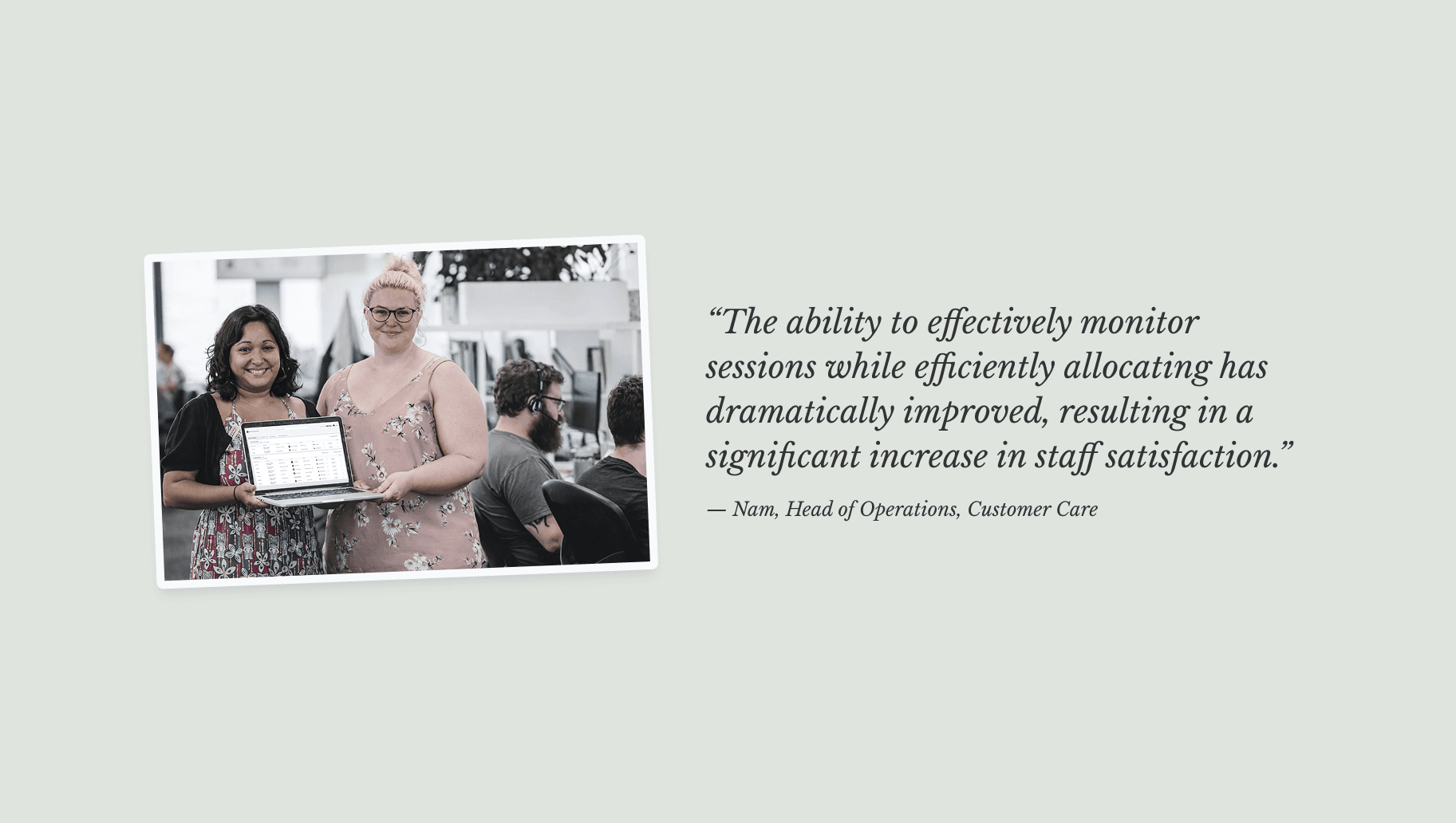
The new platform made it easier for the Customer Care Team to spot urgent sessions, find contact details, and track past communication, removing confusion and saving time.
5% Reduction in staffing and operational costs
50% Reduction in outbound follow-up calls
Key Outcomes
Dramatically reduced time to identify and action high-risk sessions
Reduced outbound follow-up calls by 50% through better real-time visibility
Reduced staffing and operational costs by 5%
Improved staff satisfaction through a purpose-built, intuitive tool
Project Enablers
Introduced a structured design process from day one
Led collaborative audits and ideation with the team
Iterated quickly through low- and high-fidelity design
Worked closely with engineering to deliver a polished product